
Heart Emoji <3 · Bronson Walker
We architect a seamless browser-based virtual tour -- preloading, DOM batching, synced soundscapes -- then push it past a real-estate walkthrough toward something closer to Myst or Amazon Trail.
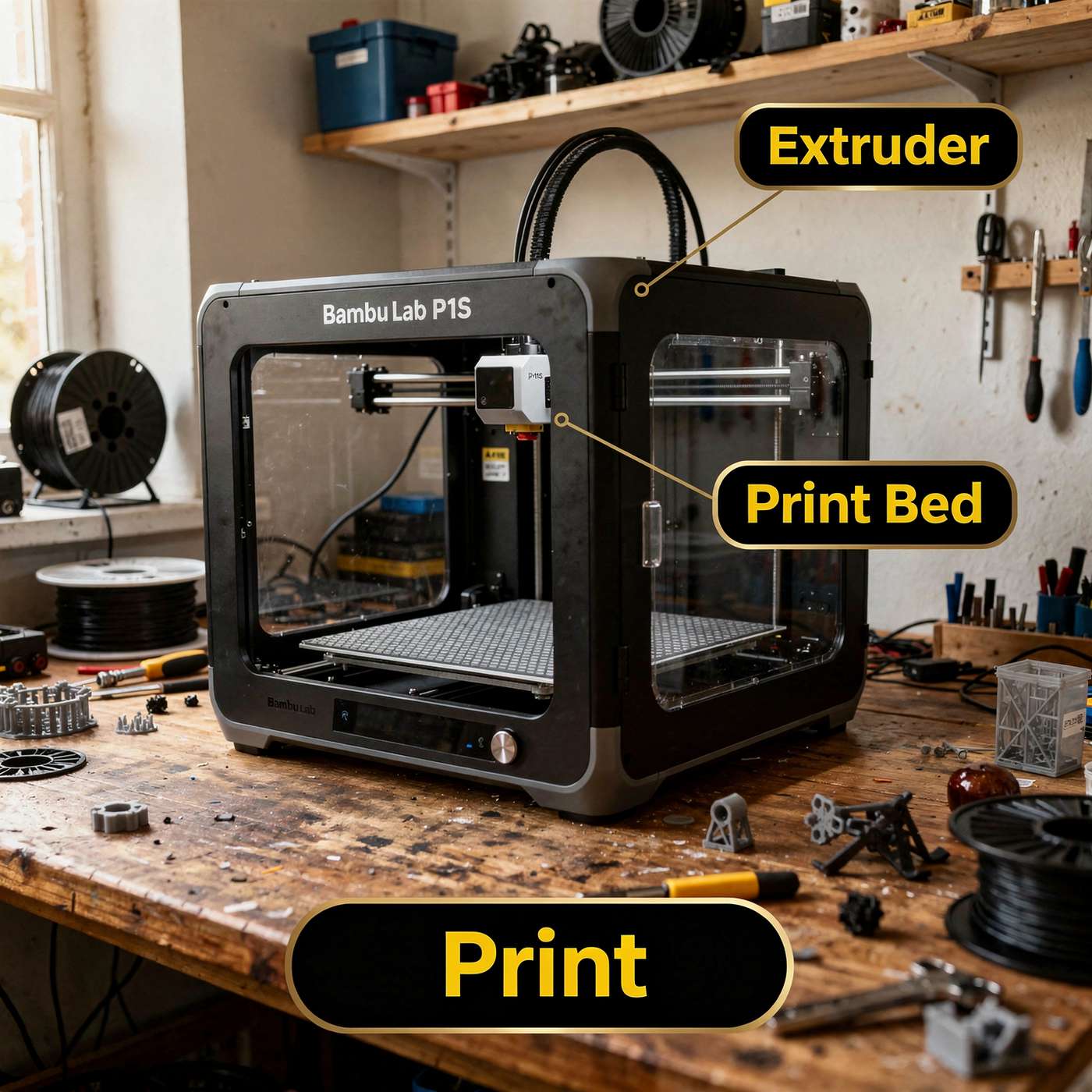
[01:00:00:13 - 01:00:03:22] Speaker 1 Hey Gemini, I'm recording this for a podcast. Is that okay? [01:00:07:09 - 01:00:10:01] Speaker 2 That's totally fine with me. What's your podcast about? [01:00:11:05 - 01:00:28:11] Speaker 1 Okay, so I'm going to use this as kind of like a reference document for some programming work that I'm doing with Claude. And what I'm doing is I'm using bronsonwalker.com, just a domain that I have as like a sandbox for... [01:00:30:01 - 01:00:36:23] Speaker 3 Sounds like a solid plan. Using a sandbox environment is great for experimenting. What kind of programming are you working on? [01:00:38:00 - 01:00:41:10] Speaker 1 So what I'm doing is I'm... [01:00:42:11 - 01:01:10:13] Speaker 1 when I worked for another company, I built these virtual tours of machines to help people learn. And it was kind of just like, I'll get more into the logistics of it, but it's kind of like a virtual tour like you would have for a real estate agent or something like that, mechanics. And I built it originally using Google Sheets, Google Slides. [01:01:13:18 - 01:01:16:00] Speaker 2 That sounds like a really innovative approach. [01:01:16:00 - 01:01:23:23] Speaker 3 Using Google Slides for a virtual experience is quite creative. Are you rebuilding it with different technologies now? [01:01:25:00 - 01:01:49:07] Speaker 1 Yeah, so instead of it just living inside Google Slides, although that is like a really good way to do it, I kind of want to... I kind of want to... what I'm doing now is I'm using Claude's code in VS Code to kind of build out a website in this fashion. [01:01:50:10 - 01:02:00:07] Speaker 1 But it seems a little bit more cumbersome than it needs to be. And I... what I think I want to do is I want to build some custom infrastructure around it. [01:02:03:09 - 01:02:15:23] Speaker 3 I understand. Transitioning to a custom approach can definitely offer more flexibility and potentially a smoother experience in the long run. What kind of custom infrastructure are you envisioning for your website? [01:02:17:00 - 01:02:23:23] Speaker 1 So I'm not savvy enough technically to really know that. [01:02:25:07 - 01:02:35:16] Speaker 1 That's where I kind of want you to... I want this to kind of be like an ideation discovery session. [01:02:39:00 - 01:02:44:06] Speaker 3 I see. That makes sense. We can definitely brainstorm and explore some ideas. [01:02:44:06 - 01:02:49:23] Speaker 2 Are there any specific goals or features you're hoping to achieve with the custom infrastructure? [01:02:49:23 - 01:03:04:09] Speaker 1 So let me start by giving you some context and explaining kind of the structure around the original style, [01:03:05:12 - 01:03:08:13] Speaker 1 kind of virtual tour experience. [01:03:09:23 - 01:03:15:23] Speaker 1 And then I can go into what we're building now. [01:03:19:09 - 01:03:20:13] Speaker 3 That would be very helpful. [01:03:21:15 - 01:03:24:15] Speaker 3 Understanding the original structure will provide good context. [01:03:26:00 - 01:03:26:12] Speaker 1 Okay. [01:03:27:17 - 01:04:20:23] Speaker 1 So I originally made these... I came up with the idea when I was working at a company and I was in charge of training operators for machines. And I really wanted to break down... learn how to break down machines. And I figured out that if I break even very complicated machines down into subsystems, it becomes very easy, right? For instance, when you have a car, like looking under the hood of the car is really overwhelming. But if you think about all the separate systems, it makes it way more digestible, right? So you've got coolant, you've got engine, you've got oil or I guess engine is with the oil. You have fuel lines, you've got brake lines, that kind of thing, right? [01:04:22:00 - 01:04:43:23] Speaker 1 So this giant all kind of overwhelming behemoth of a car engine that like is kind of crazy really is way more digestible when you think about it in this perspective of each subsystem. Because generally, each subsystem really only has like five or eight parts. [01:04:43:23 - 01:05:06:22] Speaker 3 Right. That makes perfect sense. Deconstructing complex systems into simpler subsystems is a powerful training principle. It makes information much more digestible and easier to learn, like you said. So how did that principle translate into the original virtual tour experience? Okay, [01:05:06:22 - 01:05:16:11] Speaker 1 so I really learned by interacting with things and stuff like that, like textbooks don't really do me that well. [01:05:17:22 - 01:05:39:12] Speaker 1 Same thing with like audio or video learning video is a little bit better. But really getting my hands on something is where I can kind of solidify that thing. I think it probably has to do maybe with some like playing video games or I don't know, I got to work with my hands to really remember it. [01:05:43:18 - 01:05:52:16] Speaker 3 That's a common learning style. So the original system incorporated simulations or interactive elements to replicate that hands on feel. [01:05:55:07 - 01:06:48:05] Speaker 1 Yeah, so it was, it's less about fully operating whatever mechanism that you are running and kind of think of it as I guess it depends, right. But the way I was seeing it at the time and still kind of think about it is almost from like a mechanic point of view, or like an inventors point of view, right? If you understand every piece of a machine with each of its subsystems and stuff like that, and it's way easier to remember because you have a full recollection and you can be like, oh, this does this and then this and then this is why this blah, blah, blah. I found that once you fully understand something like that, it really sticks for the long term. [01:07:09:00 - 01:07:12:03] Speaker 3 Yeah, [01:07:12:03 - 01:07:36:21] Speaker 1 and also just be kind of fun and interactive like a little bit of a choose your own adventure book kind of situation. But like for instance, if I were to have a virtual tour of my like 3D printer, what I would have done is I would have taken a series of photographs from a set position. [01:07:38:00 - 01:07:42:09] Speaker 1 And it kind of feels like a stop action movie that you're controlling. [01:07:43:10 - 01:08:03:12] Speaker 1 Right? So the first would be kind of a wide shot of the printer, and maybe a button that says like open printer, and then, and then the door opens on the next frame, but it's very seamless because it's in Google slides. And really, the way I did that was I made hyperlinks to other slides that look like buttons. [01:08:04:14 - 01:08:10:08] Speaker 1 And then maybe the next next button, but the open door might say, [01:08:11:21 - 01:08:15:12] Speaker 1 just for simplified purposes, start print. [01:08:17:09 - 01:08:26:01] Speaker 1 And then it shows a half finished print. And then it said there's another button that says complete print. And then there it is completed. [01:08:28:18 - 01:08:43:18] Speaker 3 That's a really clear way to guide someone through the process. You're essentially creating a guided narrative through distinct steps for your custom implementation. Are you thinking of using similar visual navigation with buttons and different views? [01:08:47:18 - 01:09:15:13] Speaker 1 Okay, yes. Really, what it consists of is a background image, most likely on a phone, right? So what I would do at the beginning of every slideshow or whatever is I would have a slide that was just like, click here and go full screen or whatever, or go full screen and then click here because the hyperlinks aren't active until you're in full screen mode, I think. I can't really remember. [01:09:17:10 - 01:09:24:05] Speaker 1 But that was what I needed to do. Right. And now I run into kind of that same problem with the browser. [01:09:25:07 - 01:09:50:23] Speaker 1 Because anytime that you go to a new page or you start, or you go back and back in, it breaks the experience because you have to re you have to re go full screen. I would love to be in an environment that was like custom where where where it just feels more seamless to make as well as to use. [01:09:50:23 - 01:10:15:17] Speaker 3 That's a really key pay point to address breaking the immersive experience with constant full screen prompts can be frustrating. So in your custom solution, a primary goal is to create a truly seamless, persistent full screen environment for navigation and interaction. Yeah, [01:10:15:17 - 01:10:23:01] Speaker 1 and when I was talking to Claude code, it was saying something about like setting up a JSON environment. [01:10:27:23 - 01:10:47:10] Speaker 2 That's a clever way to certainly be useful for structuring and managing the configuration and navigation data for your custom site acting like a blueprint. This could help create that seamless experience you're looking for by dynamically loading content and states. Are you thinking about defining the different scenes, buttons and transitions in JSON? [01:10:48:20 - 01:11:15:16] Speaker 1 I don't know enough about it, to be honest. That was just one suggestion. Can we kind of, can we kind of step back from that a little bit? Knowing that that is a suggestion. I kind of want it from a fresh lens. I'd eat with you on a little bit of how to kind of do something like this. [01:11:18:00 - 01:11:56:15] Speaker 3 Certainly stepping back, considering the goal of a seamless interactive to your own adventure style experience for your programming project. There are a few custom approaches you could consider building in VS code. You might explore using a web framework like react or a few JS, which are well suited for creating dynamic and seamless user interfaces, potentially avoiding the full screen issues. Another option is to use a game engine or library that allows you to build highly interactive and visually engaging experiences. Does either of those spark any specific thoughts? [01:12:02:00 - 01:12:24:15] Speaker 1 Maybe in the longer term, but I really just want to take this very, very simple idea of like having like a full screen image and easily loading in the next image and easily placing different kinds of buttons or interactivity points. [01:12:29:11 - 01:12:47:15] Speaker 2 In that case, a combination of HTML, CSS and JavaScript would be your core tools in VS code. HTML would define the structure, CSS would handle the full screen layout and styling, and JavaScript would power the seamless transitions and interactive elements like buttons. [01:12:47:15 - 01:12:52:23] Speaker 3 You could use libraries to make that even easier. Does that sound like a workable direction? [01:12:54:00 - 01:13:25:06] Speaker 1 That's what I'm doing with it right now. What I'm doing is on bronsonwalker.com, the homepage, right? The very first thing that you see, I think that it's done by JavaScript is that it creates like a kind of hazy foreground with a button on it that says enter. And that is the key touch that you need to go full screen for like a cell phone in a browser environment. [01:13:30:04 - 01:13:34:08] Speaker 2 Yes, that's a common way to initiate the full screen experience in mobile browsers. [01:13:34:08 - 01:13:44:23] Speaker 3 So your custom setup would leverage that JavaScript entry point to ensure a seamless initial transition and then manage subsequent navigation without leaving the full screen mode. [01:13:46:00 - 01:13:53:14] Speaker 1 Okay, cool. So this is seeming to work pretty well. [01:13:54:14 - 01:14:24:22] Speaker 1 And cloud code is like doing a really good job with it. But it seems a little bit slow, it would be it would be lovely. If I could just like click a point on the screen, how a little window that pops up and and I upload a photo. And then that's, that's the that's the next image for the next background within that link. Does that make sense? Yes, [01:14:26:12 - 01:14:46:20] Speaker 3 that makes perfect sense. You're describing a more streamlined development process, you could potentially create a custom editing interface within VS code using JavaScript and HTML that allows you to drag and drop images, click to place interactive points and configure transitions automating the manual steps. I [01:14:46:20 - 01:15:02:23] Speaker 1 always thought it would be really cool to make it so it was like kind of a tree view as well. I think this is like, I think that we're kind of talking now a custom editing in interface is I think exactly what we need. [01:15:04:00 - 01:15:05:12] Speaker 1 A [01:15:05:12 - 01:15:21:23] Speaker 3 tree view could be very effective for organizing and visualizing the structure of your virtual tour. It would definitely enhance the custom editing interface, allowing you to easily manage the different scenes and connections. Should we explore how to build that part in your VS code setup? [01:15:23:00 - 01:15:32:06] Speaker 3 Not [01:15:32:06 - 01:15:43:19] Speaker 1 yet. What I also want to cover is Is is how I'm doing it beyond that point. [01:15:44:22 - 01:15:44:23] Speaker 1 Got it. So beyond the initial full screen transition, are you using the same thing as the original version of the version? [01:15:47:09 - 01:15:57:23] Speaker 3 Got it. So beyond the initial full screen transition, are you thinking about how the navigation and interactivity will function within the custom environment and how that will be structured? [01:15:59:00 - 01:15:59:23] Speaker 3 Yeah, [01:15:59:23 - 01:16:17:23] Speaker 1 I do have some concerns about the size of this environment that I can do and how it's run well and what I need to do to kind of set myself up for that. I guess I can always reprogram it and stuff like that, but I'd like to do best [01:16:19:00 - 01:16:49:03] Speaker 1 Best practices straight out the gate. What happens now is when you land on bronze and walker.com it prompts you to like enter and enter full screen or whatever. And then you press that button and I guess it kicks something on JavaScript and it goes full screen to bronze and walker.com as that first picture. And then when you click on these dynamic links, they switch the background image using JavaScript, I believe. [01:17:09:00 - 01:17:14:15] Speaker 3 We can discuss specific strategies for optimizing that in your custom setup. [01:17:39:17 - 01:17:44:17] Speaker 1 Just keep that in mind. Understood. [01:17:44:17 - 01:18:01:19] Speaker 3 I'll make sure to incorporate best practices and suggestions tailored to your goals, keeping the context of a seamless, interactive JavaScript driven experience in mind, especially for mobile compatibility and performance. Okay, [01:18:02:22 - 01:18:38:15] Speaker 1 I want you to give me kind of a lay of the land of what we run into with lag when the number of images gets really high. Is there is their best practices with keeping it like lightning fast the entire time, because it's really not that difficult. Because it's really not that difficult of a website is literally just like an image and a couple links and then another image and a couple links and another image links, but I just want to make sure that this is seamlessly quick and potentially like preloaded in some way. [01:18:43:12 - 01:19:12:12] Speaker 3 That is precisely where best practices come in for a seamless lightning fast experience, especially with many images. You'll want to implement lazy loading to defer image loading until they are needed and optimize images for web. Crucially, to achieve that preloaded feel, you can use JavaScript to preload images in the background as the user navigates, ensuring instant display when requested. Does that align with your performance goals? [01:19:14:10 - 01:19:19:10] Speaker 1 Yeah, so I don't fully understand like how JavaScript works in that regard. [01:19:21:04 - 01:19:24:00] Speaker 1 Can you kind of give us like the... No problem. [01:19:24:00 - 01:19:47:17] Speaker 3 Think of JavaScript as the orchestrator. When you set up your custom interface, you'd use JavaScript to detect clicks on your buttons. Instead of reloading the entire page, JavaScript can dynamically change the background image and update the interactive points on the same screen, creating that seamless preloaded feel you're aiming for, all within the full screen mode. [01:19:50:01 - 01:20:07:23] Speaker 1 Okay, and I'm assuming that there's ways that I can reload right once I... So let's say that I have page one and it has two buttons on it. I click on one of those buttons and then page 2A, let's call this... [01:20:09:00 - 01:21:14:12] Speaker 1 Page 2A has three links in it. Right? And so let's say that I click on another link and then that keeps going, right? Obviously, if at the beginning we load every single image involved, that's like unnecessarily large, right? But what you would probably end up doing is like when you hit the first page, the first thing that happens after that page is like ready is you load the next two background images that are associated with the links only on that page and then that's it and then it's quick and then the same thing, right? You click on link 2A and only those three links that are in the background image of 2A load just to keep it quick but after everything for that page is right? Because chances are they're not going to click on that next button for at least like a second. [01:21:19:06 - 01:21:31:10] Speaker 2 Exactly. And 2B while the user is still on page one. This way when they click a link, the transition will feel instantaneous. We can structure that in your JavaScript code. How does that sound? [01:21:33:13 - 01:21:45:23] Speaker 1 Yeah, okay. So let's like, let's remember that as a potential mechanic or like a mechanic that we want to likely use and any criticism that you have. [01:21:45:23 - 01:22:13:20] Speaker 3 Acknowledged that preloading mechanic is a strong choice for user experience. A potential consideration is managing the balance between preloading and device resources, especially with large images to avoid performance bottlenecks. We can design the JavaScript to intelligently manage the download queue. Okay, cool. [01:22:13:20 - 01:22:50:23] Speaker 1 And is when you load an image, when you preload an image like that, what, or does it sit, does if you preload a bunch of images, does it slow like, like if you if you load image one in and then image two in and then is three slower and four slower and five even slower progressively because like by image 12 you have 11 preloaded images that are slowing you down or once, or is it the type of thing where like once they're loaded, they don't take any more compute. [01:22:50:23 - 01:23:14:23] Speaker 3 That's a great question about performance. preloading does use device resources like memory and network bandwidth. The key is to strategically preload as you suggested, only the next few images that the user is most likely to encounter. This prevents overloading the system while keeping the experience snappy. [01:23:16:17 - 01:23:20:23] Speaker 1 Okay, and what parts of the system would it overload and how and how [01:23:20:23 - 01:23:49:08] Speaker 3 preloading primarily impacts memory and network overloading can happen with too many images preloaded at once consuming too much device memory, which can lead to slow performance or even crashes. Also downloading too many assets simultaneously can bottleneck the network by preloading only the immediate possibilities, you keep the experience responsive. [01:23:49:08 - 01:24:13:23] Speaker 1 Okay, and then let's say that we're like eight pages deep, right? Obviously we don't need. We don't need the data and the images and stuff like that from page two, right? So is there any way that as I make my way through this, I can kind of keep like, keep deleting the ones that I don't need anymore. [01:24:13:23 - 01:24:34:23] Speaker 3 Yes, that's an excellent approach for managing memory. You can use JavaScript to actively clear preloaded images and data that are no longer relevant as you move further into the experience. This ensures optimal memory usage throughout the entire tour. Does that fit your desired flow? [01:24:36:00 - 01:24:37:10] Speaker 3 Yeah, [01:24:37:10 - 01:24:58:06] Speaker 1 I think so. Is there anything that you'd like to kind of add here at this point, using kind of your know how or maybe even taking something away, right? Using your expertise in the subject. Considering [01:24:58:06 - 01:25:13:23] Speaker 3 your goals for seamlessness and performance, one key takeaway is to architect the JavaScript to treat the experience as a single page application. This avoids constant reloads utilizing dynamic content replacement for instant transitions. [01:25:16:11 - 01:25:24:19] Speaker 3 Also prioritize responsive design from the start for optimal mobile display. Is there any particular aspect you'd like to refine further? [01:25:24:19 - 01:25:29:23] Speaker 1 No, can you go deeper into both of those a little bit so I can understand better? [01:25:31:00 - 01:25:34:09] Speaker 1 Certainly [01:25:34:09 - 01:26:06:11] Speaker 3 for the single page application approach, think about structuring your code to dynamically update the content within the existing view. Instead of loading new pages, JavaScript manipulates the DOM to swap out background text and links making transitions instant. For responsive design, it's about designing with flexible layouts and media queries, ensuring the interface adapts perfectly to different screen sizes and orientations on mobile devices. [01:26:09:13 - 01:26:15:23] Speaker 1 Okay, explain that last one a little bit more simply. I don't get it totally. [01:26:15:23 - 01:26:35:23] Speaker 3 Sir, simply put, instead of reloading the whole page each time, the single page approach uses JavaScript to just change the lines that need to be different, like the background and links. This makes it feel much quicker and smoother. [01:26:37:00 - 01:26:43:23] Speaker 3 And responsive design just means the site automatically adjusts to look good on any screen, especially on phones. [01:26:46:07 - 01:26:55:23] Speaker 1 What would you recommend? I've been a little bit torn on that. Initially, it was vertical sometimes, [01:26:57:01 - 01:27:02:23] Speaker 1 or when I made this originally, it was vertical. And then I was like, Oh, no, I want people on a desktop to be able to use it. [01:27:04:00 - 01:27:04:23] Speaker 1 And also, like, [01:27:06:02 - 01:27:18:17] Speaker 1 virtual reality and AR and stuff like that, that's also going to be horizontal. So it seems like vertical video will probably be a short term thing, [01:27:19:21 - 01:27:20:23] Speaker 1 medium term, maybe. [01:27:22:00 - 01:27:29:13] Speaker 4 You have [01:27:29:13 - 01:27:43:23] Speaker 3 a good point there. While vertical formats are popular on mobile, a responsive design that accommodates both horizontal and vertical views is definitely more future proof, especially for desktop and potential AR and VR experiences. [01:27:45:00 - 01:27:49:23] Speaker 3 I'd recommend prioritizing a flexible layout that can seamlessly adapt. [01:27:51:00 - 01:28:12:23] Speaker 1 Okay, and what like horizontal aspect ratio would you recommend for kind of an optimal horizontal experience that's primarily phone but doesn't totally screw over desktop users? [01:28:12:23 - 01:28:36:06] Speaker 3 For optimal horizontal viewing, an aspect ratio of 16 to 9 is commonly recommended for full screen experiences, as it balances well across various devices, including desktop and mobile phones in landscape mode. This provides a familiar and immersive feel. Does that fit your visual goals? [01:28:36:06 - 01:28:38:23] Speaker 1 Yeah, okay. We're on the same page there. [01:28:42:23 - 01:29:01:23] Speaker 3 Perfect. So to recap, we're aiming for a seamless preloaded single page application architecture with dynamic content updates and resourceful memory management, ensuring optimal performance and flexible landscape viewing for both mobile and desktop. Is there any other elements you'd like to explore for your project? [01:29:01:23 - 01:29:18:02] Speaker 1 Yeah, so this is kind of what we're already doing. I don't believe we're doing the preloading and stuff like that yet. With code, Claude and I in VS code, [01:29:19:03 - 01:29:24:14] Speaker 1 and I want you to, it seems like we're all on the same page. [01:29:25:17 - 01:29:40:02] Speaker 1 Can you kind of go into the comment Claude may have said about doing something with JSON in this kind of environment? Using [01:29:40:02 - 01:29:57:00] Speaker 2 JSON in your VS code setup could be very useful for managing and defining your virtual tour structure. You could store the path to your images, the dynamic links and their destinations, and even details about preloading within JSON files. This [01:29:57:00 - 01:30:07:12] Speaker 3 keeps your content separate from your JavaScript logic, making it easier to update and manage as the tour grows, while still allowing JavaScript to dynamically control the experience. [01:30:10:15 - 01:30:26:23] Speaker 1 Interesting. Okay. This sounds like the right call. Sounds like Claude knew exactly what we were trying to do. Can you explain this a little bit better? We can have a long conversation, but when I'm talking with Claude, I have to read text. [01:31:00:07 - 01:31:09:00] Speaker 1 And is this even faster than if we were to just kind of embed it in the JavaScript file? [01:31:12:00 - 01:31:31:17] Speaker 3 It's not necessarily faster purely in terms of load time, but it's much more efficient and maintainable. Separating content from code makes it easier to update without rewriting logic and allows you to dynamically manage assets more effectively for a cleaner overall experience. [01:31:31:17 - 01:31:37:12] Speaker 1 Okay. [01:31:38:13 - 01:31:47:16] Speaker 1 Can you give me a little bit of a high level idea? Maybe let's use an example, [01:31:49:04 - 01:31:53:19] Speaker 1 like a real world example of this JSON. Think [01:31:53:19 - 01:32:05:15] Speaker 2 of JSON as your blueprint for the tour. For example, a JSON file might define page one, specifying the background image and the coordinates of two buttons. [01:32:05:15 - 01:32:22:03] Speaker 3 Each button might then point to another part of the JSON data, like page 2A, detailing its unique content. This way, JavaScript can just read the JSON and instantly change the view, keeping everything separate and manageable. [01:32:24:04 - 01:32:25:17] Speaker 1 Does this add any load time? [01:32:32:10 - 01:32:47:17] Speaker 2 JSON itself doesn't directly impact load time significantly. It's just data. However, how you structure the JSON and how your JavaScript uses it can greatly affect performance. Efficient organization can prevent lag by ensuring [01:32:47:17 - 01:32:50:23] Speaker 3 only necessary information is processed at any time. [01:32:52:17 - 01:32:57:01] Speaker 1 Okay. Do you have any best practices in that realm? [01:33:02:14 - 01:33:18:23] Speaker 2 Yes. Key best practices include optimizing your JSON structure by keeping key names concise and minimizing the amount of data transferred. You can also utilize techniques like compression and lazy loading to enhance performance. Would you like to discuss specific coding patterns? [01:33:20:00 - 01:33:20:09] Speaker 5 Sure. [01:33:25:07 - 01:33:42:23] Speaker 3 One common pattern is to use modules or components within your JavaScript to handle different parts of the tour. This allows you to process the JSON data incrementally, loading and managing resources only when needed, rather than all at once, which can drastically improve performance. [01:33:44:18 - 01:33:46:00] Speaker 1 Okay. What does that mean? [01:33:51:05 - 01:34:14:19] Speaker 3 That means instead of having all your tour information mixed into one big JavaScript file, you break it down into smaller, more manageable pieces. This helps your code be more organized and easier to update. It also means your application can only load and process data for the specific parts of the tour you're currently viewing, saving resources and preventing slowdowns. [01:34:19:03 - 01:34:25:03] Speaker 1 So would you have multiple JavaScript and JSON files? [01:34:30:05 - 01:34:43:23] Speaker 3 Yes. That's a likely scenario. You'd probably have multiple JavaScript files to organize your modules and components and several JSON files to structure your tour data, making it modular and maintainable. [01:34:45:16 - 01:34:51:23] Speaker 1 It seems like it would be easier to just have one JavaScript file and one JSON file. [01:34:56:21 - 01:35:18:12] Speaker 3 While that might seem simpler initially, a single file can become difficult to manage and slow down as your tour grows. Multiple files keep things organized, easier to debug and allow for more efficient loading and memory management for a better overall user experience. Okay. [01:35:18:12 - 01:35:23:23] Speaker 1 Can you give me an example of this kind of using what we're talking about? [01:35:25:00 - 01:35:30:19] Speaker 1 Sure. [01:35:32:19 - 01:35:53:20] Speaker 2 Imagine main.js file that handles the overall tour logic. Then you might have separate JavaScript files like preloader.js for background loading and a data.json file containing all your page details, images and links, keeping everything organized and efficient. Does that make sense? Okay. [01:35:53:20 - 01:35:55:15] Speaker 1 Go further into this example. [01:36:21:00 - 01:36:22:07] Speaker 3 Does that clarify the concept? [01:36:24:12 - 01:36:39:00] Speaker 1 Yeah. A little bit more now that does. What are other JavaScript files that are kind of like have a specific purpose, like preloader JavaScript? Can you give me some more examples? [01:36:43:09 - 01:37:01:10] Speaker 3 Certainly. You might have a navigation.js to control movement between tour sections, a renderer.js for handling the dynamic display of content and assets, and potentially a utils.js for helper functions used across different modules. Does that clarify things further? [01:37:03:16 - 01:37:05:01] Speaker 1 What are helper modules? [01:37:10:17 - 01:37:26:23] Speaker 3 Helper modules are essentially collections of functions that perform reusable tasks across your various JavaScript modules. This helps avoid repeating code and keeps your entire code base cleaner and more maintainable, like common calculations or utility functions. [01:37:28:00 - 01:38:04:09] Speaker 1 Okay. So when I have a website like this, where bronsonwalker.com is the one page that the JavaScript loads in and out all the JSON files, what is the main source of lag after the first load-in? Because I don't really care about the first load-in. If that's a little slow, what I really, really, really necessarily need is seamless between button presses after the first full screen, like entrance. [01:38:08:19 - 01:38:24:18] Speaker 3 The main sources of lag after the initial load could be large image sizes that need decoding and dynamic content not preloaded or inefficient DOM manipulation when changing views. Focusing on those areas will be crucial for seamless transitions. [01:38:25:20 - 01:38:30:02] Speaker 1 Okay. Can you explain all of those in more detail? [01:38:35:12 - 01:38:47:21] Speaker 3 Certainly, large files can cause delays because the browser needs to download and process them. Implementing efficient lazy loading where images only load when they're about to be viewed can help. [01:38:48:23 - 01:39:02:17] Speaker 3 Dynamic content preloading ensures the next pages or assets are ready beforehand, eliminating wait times during navigation. Finally, optimizing JavaScript code that modifies the web page prevents choppy animations or freezes. [01:39:06:00 - 01:39:10:07] Speaker 1 Okay. Tell me more about the inefficient DOM usage. [01:39:14:23 - 01:39:36:23] Speaker 3 Inefficient DOM manipulation refers to making unnecessary changes to the web page's structure, which can force the browser to recalculate and redraw the page frequently, causing lag. Best practices involve minimizing direct DOM access, making updates in batches and utilizing virtual DOMs if applicable to ensure seamless transitions. [01:39:36:23 - 01:39:38:20] Speaker 1 What is the DOM? [01:39:44:08 - 01:40:01:06] Speaker 3 The DOM or Document Object Model is like a tree-like structure that represents the HTML code of your website. JavaScript interacts with it to make changes to the page, like showing or hiding elements or updating content. Okay. [01:40:03:15 - 01:40:20:12] Speaker 1 So what would I want to avoid in order to avoid inefficient? What are some common missteps with inefficient DOM manipulation that I want to avoid? [01:40:24:15 - 01:40:40:17] Speaker 3 You'll want to avoid repeated full page re-renders or direct manipulation for minor changes. Also, be cautious about making many individual updates to the DOM. Try to batch them together for better performance between button presses. [01:40:42:03 - 01:40:50:08] Speaker 1 And the DOM...where does the DOM live? Does that sit in the browser? The [01:40:50:08 - 01:41:02:09] Speaker 3 DOM exists in the browser as part of the web page environment. It's a live representation that JavaScript can manipulate to change what the user sees without a full page reload. Okay. [01:41:03:11 - 01:41:27:21] Speaker 1 So using this kind of mechanic of like really just an image with links on it, what would you do specifically with these large files and with preloading and with inefficient DOM manipulation? What would you do to kind of avoid all those mishaps? [01:41:32:07 - 01:41:45:21] Speaker 2 For a seamless image-based tour, use compressed image formats and implement lazy loading to avoid lag after the first load. Preload upcoming images and JSON data discreetly in the background. [01:41:45:21 - 01:41:53:23] Speaker 3 For DOM manipulation, batch updates together and minimize unnecessary changes to maintain a truly seamless experience. [01:41:56:17 - 01:42:00:20] Speaker 1 What do you mean batch updates together? [01:42:05:00 - 01:42:20:23] Speaker 3 Batching updates means collecting multiple changes to the DOM like adding or modifying elements and then applying them all at once. This reduces the number of times the browser has to recalculate and redraw the page leading to smoother transitions. [01:42:22:00 - 01:42:32:23] Speaker 1 Can you give an example of that based on what you know about what this sandbox kind of environment will look like? [01:42:34:00 - 01:43:01:03] Speaker 2 In your interactive tour, instead of completely rebuilding the interface every time a user clicks a link, you would use batch updates. For instance, when a new background image and set of links are loaded, your JavaScript would collect all those changes and apply them simultaneously, ensuring a fluid transition. Oh, [01:43:02:15 - 01:43:18:01] Speaker 1 okay. So if you didn't do this, maybe the background image would show up and then the buttons would show up late. Is that what are we talking about? Exactly. [01:43:20:19 - 01:43:34:01] Speaker 3 Without batching, you might experience noticeable delays between pressing a button and the new background image appearing, followed by another delay as the buttons or text are updated, leading to a less seamless experience. [01:43:35:12 - 01:43:39:15] Speaker 1 Okay. And what are you physically doing when you're batching updates together? [01:43:44:00 - 01:43:59:23] Speaker 3 Physically, you're collecting the changes in JavaScript before applying them to the DOM all at once. This might mean building a new DOM element or fragment in memory and then replacing the existing content with it in a single operation. [01:44:01:00 - 01:44:13:23] Speaker 1 Okay, like how would you do this? Would you make a file that was like just the changes and then add that? [01:44:15:00 - 01:44:39:23] Speaker 2 A good way to do this is through document fragment. You can create and modify elements in this lightweight fragment in memory, which doesn't trigger any re-rendering. Then, in a single operation, replace the existing content with the fragment. This drastically reduces the number of layout and repaint events. [01:44:41:00 - 01:44:49:12] Speaker 1 Can you explain that further and kind of lay it out for if Claude is trying to figure out what we're talking about and how to do this? [01:44:53:22 - 01:45:18:08] Speaker 3 Think of it like preparing a new scene backstage. You gather all the elements, images, and text needed for the next view without the audience seeing. This is done in the document fragment, keeping everything separate. Once it's fully prepared, you then swap out the current content with the fragment in a single quick move, ensuring a seamless transition for the user. [01:45:20:12 - 01:45:39:23] Speaker 1 Okay, so that was a really good, very kind of basic description. Now, I would like you to kind of talk to Claude code and describe it in a way that is super expert in detail that only that like Claude would understand, but I wouldn't. [01:45:41:00 - 01:45:53:12] Speaker 1 And just get super nitty gritty and I want specifics on the details of the mechanics of this system as if you were talking to an expert. [01:45:57:23 - 01:46:38:06] Speaker 3 Under the hood, the seamless transition is achieved by asynchronous data fetching, likely utilizing fetch with promises to obviate synchronous XHR requests and prevent UI thread blocking. We're employing a robust document fragment based methodology for DOM construction, decoupling the mutation from the render pipeline to mitigate layout threshing. Subsequent asset preloading is executed through web workers or idle callbacks, ensuring critical data is available post initial load. This architecture circumvents common performance bottlenecks providing an imperceptible transition time between views. [01:46:40:18 - 01:46:46:10] Speaker 1 Okay, can you explain more of our ideas that we've talked about in this manner? [01:46:51:14 - 01:47:15:15] Speaker 3 We've discussed optimizing the user experience post initial load by employing asynchronous data fetching to prevent UI thread blocking. A key component is document fragment based DOM manipulation, which batches changes to avoid layout threshing and ensure seamless transitions. We also covered background asset preloading using web workers or idle callbacks to maintain performance. [01:47:17:18 - 01:47:19:15] Speaker 1 Okay, anything else that you'd like to add? [01:47:24:18 - 01:47:41:20] Speaker 3 Additionally, implementing robust error handling during asynchronous batches is critical to ensure system resilience and provide graceful degradation in case of network or data issues. This ensures a consistently predictable and reliable user experience. [01:47:43:02 - 01:47:45:06] Speaker 4 Okay, cool. Cool. [01:47:47:00 - 01:48:14:06] Speaker 1 Yeah, I'm like, excited to see what Claude thinks about all this. Let's take a, let's take a big step back and think about this idea as a whole and the virtual tours and like, learning in this capacity. And what we're also going to do is we're going to, why don't we talk a little bit about sound design. [01:48:19:23 - 01:48:37:23] Speaker 3 Taking a broader view, integrating effective sound design can profoundly enhance the immersive nature of your interactive tour. Strategic use of ambient audio, transitional cues and subtle feedback can significantly elevate the user's engagement and perception of a seamless journey. [01:48:39:00 - 01:49:12:11] Speaker 1 So, what I've kind of done in a basic form is at the very beginning, you kind of are allowed to unmute the environment and it gives you this kind of ambient sound. What happens is when the pages switch and the ambient sound doesn't change, then it doesn't give you, it takes away, I don't know, it just, it makes you feel like you haven't switched to a new environment. [01:49:17:11 - 01:49:40:23] Speaker 3 That's a valid point and a critical aspect of immersive design. The persistence of the same ambient sound can create a cognitive dissonance undermining the illusion of a new environment and detracting from the seamlessness. Synchronizing soundscapes with the visual transitions, perhaps through crossfading or dynamic management, is essential for a cohesive and believable experience. [01:49:42:00 - 01:49:57:21] Speaker 1 Yeah, and I think one thing that I really want to improve on it by doing is I'd like to make the buttons or like objects more fun to tap. [01:49:59:00 - 01:50:10:14] Speaker 1 So like certain things, right, I have like a link tree and it's kind of a play on the words, it's really like a bonsai tree and you click on it. And I would love it to make like a tree sound. [01:50:14:23 - 01:50:31:23] Speaker 3 That's a fantastic idea for enhancing engagement. Incorporating specific context aware sound effects like a distinct tree sound for your bonsai link tree can create a memorable and playful auditory experience that complements the visual theme. [01:50:33:00 - 01:50:42:16] Speaker 1 So one game that I really, really, really loved as a kid, and I think it was like on my Windows 98 E machines, [01:50:44:01 - 01:50:47:23] Speaker 1 was this game called Amazon Trail. Are you aware of it? [01:50:51:21 - 01:51:16:00] Speaker 2 Yes, I'm familiar with it. The Amazon Trail developed by MECC was a classic educational adventure game, similar to the Oregon Trail, but focused on the Amazon rainforest. It was a really fun way to learn about biodiversity, history and survival. Are you thinking about trying to play it again? How [01:51:16:00 - 01:51:19:23] Speaker 1 hard would it be to like clone a game like that? [01:51:19:23 - 01:51:51:11] Speaker 3 Cloning a game like the Amazon Trail would be quite complex, involving multiple development phases. You need to recreate the branching narratives and decision making structure, develop diverse environments for the rainforest and implement educational and survival elements like resource management. It would be a significant undertaking, requiring expertise in game design, programming and content creation. [01:52:14:00 - 01:52:21:09] Speaker 1 What programming languages do you think that was built in? [01:52:44:00 - 01:52:44:21] Speaker 3 Is [01:52:44:21 - 01:52:58:07] Speaker 1 that something that would be worth doing nowadays as like a browser? What if I made this virtual tour like a browser game instead of like a website? [01:53:06:00 - 01:53:24:13] Speaker 2 Building an interactive browser game would be a compelling approach and definitely viable today. Modern browser game frameworks like Phaser or PixiJS are specifically designed for this, offering tools for efficient performance, rich visuals and seamless interaction, perfect for creating an immersive virtual journey. [01:53:25:19 - 01:53:44:04] Speaker 1 What is the difference between the programming of a modern browser game and that it was like phone compatible and what we're currently doing? [01:53:48:16 - 01:54:15:12] Speaker 3 The primary difference lies in the development paradigm. A modern browser game, often built with responsive design in mind, uses HTML5, CSS and JavaScript to create a universally accessible experience across devices, including smartphones. What we're currently doing is more focused on specific performance optimizations for a particular project rather than building the entire cross platform foundation. [01:54:31:00 - 01:54:50:23] Speaker 3 Regarding the cross platform foundation you mentioned, for an interactive virtual tour, we build it using a robust browser based architecture. This means leveraging HTML5 for structuring and CSS for presentation, ensuring adaptability across various devices and screen sizes. [01:54:52:00 - 01:55:01:09] Speaker 3 JavaScript utilizing modern frameworks would handle the dynamic interaction, sound design integration and efficient data fetching for that seamless user experience. [01:55:32:00 - 01:55:49:09] Speaker 1 This is a modern browser game that we currently don't have in our virtual tour mechanism that we are ideating. [01:55:54:02 - 01:56:22:19] Speaker 3 A modern browser game typically incorporates more dynamic elements like real time rendering, sophisticated soundscapes with positional or contextual audio and complex interactivity that feels more integrated. Compared to our current mechanisms, this might mean persistent virtual environments, multi-layered user interfaces and real time feedback systems that provide a more cohesive and engaging platform. [01:56:24:19 - 01:56:31:11] Speaker 1 That sounds kind of cool. Would it be too much to go down that route? [01:56:37:13 - 01:56:57:18] Speaker 3 Going the browser game route can be quite rewarding, though it does involve greater technical complexity than a standard website. It requires more specialized development skills, particularly in game engines and client side scripting. However, the result can be a highly engaging and memorable experience for your visitors. [01:57:28:00 - 01:57:44:04] Speaker 3 Your tour includes learning game engines like Phaser, which simplify tasks like rendering, physics and asset management. You'll also need strong JavaScript skills for interactivity and understanding cross-platform compatibility to ensure a smooth user experience. [01:57:44:04 - 01:57:49:02] Speaker 1 Okay, tell me about what a game engine is. [01:57:54:11 - 01:58:14:18] Speaker 3 A game engine is a software framework that provides the core functionalities needed to create games like graphics rendering, physics simulation, sound and input management. It essentially simplifies the development process by providing pre-built tools and components, allowing creators to focus more on the unique gameplay and design. [01:58:14:18 - 01:58:23:11] Speaker 1 And is this what the bulk of the stuff you download when you download a game is? [01:58:28:03 - 01:58:32:23] Speaker 4 Not [01:58:32:23 - 01:58:52:02] Speaker 2 exactly. The cross-platform foundation is more about the underlying technologies and design choices that allow a game to run smoothly on different devices and browsers, like your phone or computer. Downloading a game is just the end-user step, while building it involves that more complex process. [01:58:56:08 - 01:59:16:23] Speaker 1 Okay, I'm a little bit lost in what the difference between an online browser game is and what a virtual tour is. Because the browser game comes up and you press buttons and things happen and the same thing with a virtual tour. [01:59:18:00 - 01:59:32:21] Speaker 1 I get that there's a game engine involved, but where does the game engine run on a browser game? The [01:59:32:21 - 01:59:55:17] Speaker 3 key distinction is the execution. A browser game's game engine runs directly in your web browser using technologies like JavaScript. This allows for immediate dynamic interaction, much like playing a downloadable game, but without the need for a separate download or installation, distinguishing it from more passive virtual tour mechanisms. [02:00:00:05 - 02:00:24:02] Speaker 1 Okay, so this concept, I think, at least I wanted to live a little bit closer to Amazon Trail and like, missed. Then I really do want it to be like, just a virtual tour that a real estate agency would have, right? So how do we move in that direction the right way? [02:00:29:05 - 02:00:40:23] Speaker 3 That sounds like a clear and exciting direction. To move towards a realistic virtual real estate agent, we should focus on 3D environment creation, allowing for immersive walkthrough. [02:00:42:00 - 02:00:58:23] Speaker 1 I think you misunderstood me. I want this bronsonwalker.com sandbox to be closer to Amazon Trail or missed and less like a virtual tour that a real estate agent would have. [02:01:02:15 - 02:01:23:23] Speaker 3 In that case, to capture the spirit of the Amazon Trail, we should focus on branching narratives and decision making elements. We could create modules that simulate exploration, incorporating educational content and challenges that reflect the diverse environment, moving away from the direct virtual tour focus. [02:01:25:00 - 02:01:40:08] Speaker 1 Okay, yeah, we were always gonna do that. Do you think a gaming engine of any sort would benefit us? Yes, [02:01:44:01 - 02:01:51:07] Speaker 2 a game engine would definitely benefit us. It would simplify the integration of interactive elements, sophisticated sound [02:01:51:07 - 02:01:56:23] Speaker 3 and compelling visuals, helping to create a truly immersive Amazon Trail like experience for your visitors. [02:01:58:00 - 02:02:04:03] Speaker 1 Okay, can you be more specific about how that would all work? And like, [02:02:05:04 - 02:02:07:23] Speaker 1 I don't really, I really don't super understand it. [02:02:07:23 - 02:02:39:23] Speaker 3 A game engine in your virtual real estate context would power the interactive experience. It would handle the 3D walkthroughs, allowing you to move around freely and explore properties. It would also integrate dynamic features like clicking on virtual objects to get more information, realistic lighting and smooth transitions, making the experience interactive and engaging, similar to a game but applied to real estate. [02:02:41:00 - 02:02:55:14] Speaker 1 Yeah, but if I can do this, basically with just some JavaScript and JSON in a web browser, then what would be better about it if I used a gaming engine? [02:03:01:06 - 02:03:22:17] Speaker 3 Well, you can certainly build some functionality with just JavaScript and JSON. A game engine offers prebuilt tools for complex elements like advanced rendering, physics and asset management. This makes creating a truly immersive virtual tour much more efficient and performant, providing a smoother and more comprehensive user experience. [02:03:22:17 - 02:03:28:09] Speaker 1 Okay, so if I'm doing this with Claude code, is this a big lift? [02:03:34:10 - 02:03:50:09] Speaker 3 Yes, using a game engine can be a significant undertaking compared to base JavaScript, involving more development time and a deeper learning curve. However, the results can be a much more immersive and impressive experience for your virtual real estate platform. [02:03:53:00 - 02:03:53:15] Speaker 1 And so, [02:03:54:18 - 02:04:08:03] Speaker 1 with AI capabilities these days, like, I've been able to do a lot of stuff that I otherwise wouldn't have been able to do. Which direction do you think we should go with this? [02:04:16:00 - 02:04:36:15] Speaker 2 AI can play a big role. You could use generative AI to quickly create diverse virtual environments or dynamic scenarios for exploration. It could even help personalize the user's experience based on their choices, making the virtual journey more immersive. What kind of AI driven features are you most interested in? [02:04:41:02 - 02:04:46:23] Speaker 1 No, I'm talking about like gaming engines and stuff like that. [02:04:53:17 - 02:05:10:13] Speaker 2 When considering AI in a game engine context, we're looking at features like procedural generation for diverse landscapes, smart virtual agents that can guide you and dynamic environmental changes based on your interaction, creating a truly adaptive journey. [02:05:43:00 - 02:05:47:18] Speaker 3 So, what are you interested in? Are you interested in something for beginners or more advanced? [02:05:47:18 - 02:05:59:15] Speaker 1 Yeah, tell me about Unity and its capabilities and kind of its backend and like, do I put that on a VPS or what? [02:06:07:00 - 02:06:27:23] Speaker 3 A front end with Unity or Phaser would handle the interactive visualization and user interface. For the backend of virtual private server, VPS could post the necessary services like databases for storing property information, user progress and dynamic content. Is there a specific backend technology you are interested in? [02:06:29:00 - 02:06:32:05] Speaker 1 I honestly don't know enough about the subject. [02:06:34:03 - 02:06:44:06] Speaker 1 And where does my front end live? If the website is hosted on the VPS, does it also live on the VPS? [02:06:47:07 - 02:07:04:23] Speaker 3 That's a good question. Your front end is what the user interacts with directly in their browser. While the website files and the backend may live on the VPS, the front end code is downloaded to the user's device and run there, enabling the rich interactive virtual experience. [02:07:06:00 - 02:07:10:12] Speaker 1 Right, but I mean, like, where does the browser get that data? [02:07:16:03 - 02:07:27:10] Speaker 3 The browser retrieves the front end code from the web server hosted on the VPS when you first visit the website. It's like downloading all the instructions and assets needed to run the experience locally. [02:07:31:19 - 02:07:42:05] Speaker 1 Okay, and so, um, All right, this is getting a little bit more high level. And I think I fully understand. [02:07:43:12 - 02:08:05:09] Speaker 1 We may revisit this. I really did like the idea of a custom editing software for this current framework we have before getting to the gaming engine. Um, do you have any input on that? [02:08:34:07 - 02:08:46:12] Speaker 1 Okay, so if you were to make a custom editing interface and like tell Claude what you think that they would know, what would you say? [02:08:50:18 - 02:09:07:23] Speaker 2 A custom editor would likely feature drag and drop tools for building virtual worlds, intuitive interfaces for placing and customizing objects like property details or interactive elements and perhaps even real time previews. [02:09:09:00 - 02:09:12:15] Speaker 2 This would simplify the creative process and [02:09:12:15 - 02:09:15:18] Speaker 3 allow for greater control over your virtual space. [02:09:17:19 - 02:09:34:02] Speaker 1 Okay, I think Claude and I will have to work through that. Do you think that we should just keep kind of working like we are now and then maybe graduate to the whole gaming engine thing? That [02:09:34:02 - 02:09:51:23] Speaker 3 sounds like a sensible approach. Starting with your current framework allows you to build the core functionality and refine your concept. Then as you progress, you can transition to a game engine to unlock more advanced capabilities for a richer, more immersive virtual experience. [02:09:53:00 - 02:10:09:23] Speaker 1 Okay, before we go, I'd like you to just add or I'd like you to just add something that you think Claude would want to know. [02:10:11:00 - 02:10:17:11] Speaker 4 It [02:10:17:11 - 02:10:27:23] Speaker 2 sounds like we have a good plan forming, balancing the current framework with the potential of game engines. Is there anything else you'd like to discuss about this project or other topics? [02:10:29:00 - 02:10:37:23] Speaker 1 No, I'd like you to add like some, I don't know, anything you'd like. [02:10:42:05 - 02:10:48:12] Speaker 4 Adding [02:10:48:12 - 02:10:54:17] Speaker 2 ambient or contextual music could definitely enhance the immersion. We'd also want to consider dynamic [02:10:54:17 - 02:11:00:23] Speaker 3 camera angles and perhaps customizable options for the virtual tour. What other specific details are coming to mind for you? [02:11:00:23 - 02:11:04:19] Speaker 4 Nothing. [02:11:07:04 - 02:11:22:22] Speaker 1 This was a really good session. I appreciate it. We're probably going to do a bunch more of these and really help use them as context for my VS Code sessions with Claude. I really appreciate it, Gemini. [02:11:24:18 - 02:11:27:01] Speaker 1 Thank you very much. [02:11:31:01 - 02:11:44:00] Speaker 3 You're very welcome. I'm glad I could help clarify things and provide some useful insights. Feel free to reach out whenever you have more questions or want to explore further ideas. [02:11:45:00 - 02:11:45:19] Speaker 3 Peace.